Settings
Settings is at the bottom of the sidebar. Its tabs:
| Tab | Holds |
|---|---|
| You | Your own settings. |
| Company | Your entities, company notes, how people sign in, and the record of settings changes. |
| Close | How your organization runs its close. |
| Integrations | The systems your organization connects: the accounting system, Slack, Stripe, connectors and the file store. |
| Agents | What chats may change, FullSeam’s chat’s models, connecting an external chat, and access tokens; see Chat. Shown where your organization has chats, to people who manage integrations or can connect an external chat. |
| Team | Opens the Team page in a new tab: people and roles; see Permissions. |
Close and Integrations appear for people who use Close. Changing Company and Close needs permission to change close settings for the whole organization; changing Integrations needs permission to manage integrations. Changes are recorded under Company → History, for those whose permissions include it.
Each section saves with its own Save changes, which stays at the bottom of the section as you scroll.
| Section | Sets |
|---|---|
| Account | Your name. |
| Email signature, AP notifications, AP appearance | Your AP settings, for people who use AP. |
| Time off | Days you are away, where your organization uses the close calendar. |
Company
Section titled “Company”| Section | Sets |
|---|---|
| Entities | Your entities, the word your organization uses for them, and entity groups. The section is named with that word, such as Funds. |
| Company notes | What is written down about how the company works, for people and agents to read. Shown to people allowed to read notes. |
| Sign-in | Which ways people may sign in, for admins where FullSeam allows it. |
| History | Every settings change, who made it and when. |
| Section | Sets |
|---|---|
| Closing | The close checklist, and whether journal entries are drafted in FullSeam with their lines. |
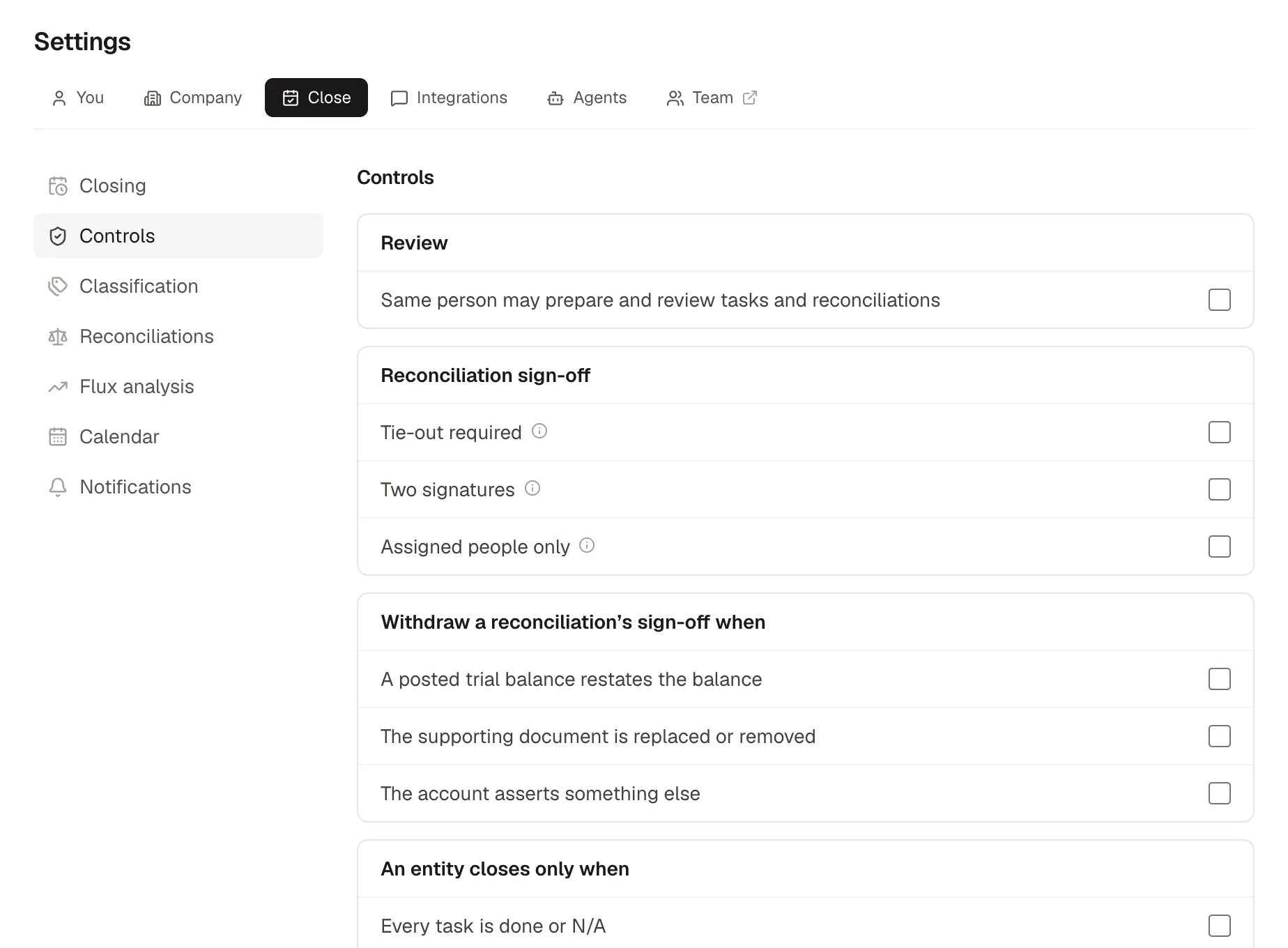
| Controls | Whether the same person may prepare and review tasks and reconciliations; reconciliation sign-off rules (Tie-out required, Two signatures, Assigned people only); when a reconciliation’s sign-off is withdrawn; and whether every task must be done and every reconciliation approved before an entity can close. See Permissions. |
| Classification | The tags tasks are grouped by, Section among them. A tag takes a single value or allows multiple values; Period filter marks the one the Close page filters the whole month by. |
| Reconciliations | The cell tag a workbook names an account with, and each entity’s default preparer, reviewer and threshold. |
| Flux analysis | The thresholds that make a flux explanation required. |
| Calendar | Closed days, and how due dates move off them. |
| Notifications | Which close events notify people in the app and in Slack, when reminders go out and how, who is copied on escalations, and which Slack channel task threads go in. |
A section appears only where it applies: Flux analysis where flux is in use.
Integrations
Section titled “Integrations”Each section in the menu shows what is connected there.
| Section | Connects |
|---|---|
| Accounting system | QuickBooks or NetSuite, where trial balances are pulled from. |
| Notifications | Your Slack workspace. What is posted there is set under Close → Notifications. |
| Stripe | A Stripe account, where your organization can connect one. |
| Connectors | Other systems FullSeam’s chat reads, such as Stripe or Jira, and the connections to them; see Connectors. |
| File store | Google Drive, SharePoint or Egnyte, for file templates and support, and whether task files are saved there or in FullSeam; see Google Drive and SharePoint or Egnyte. |