Timeline
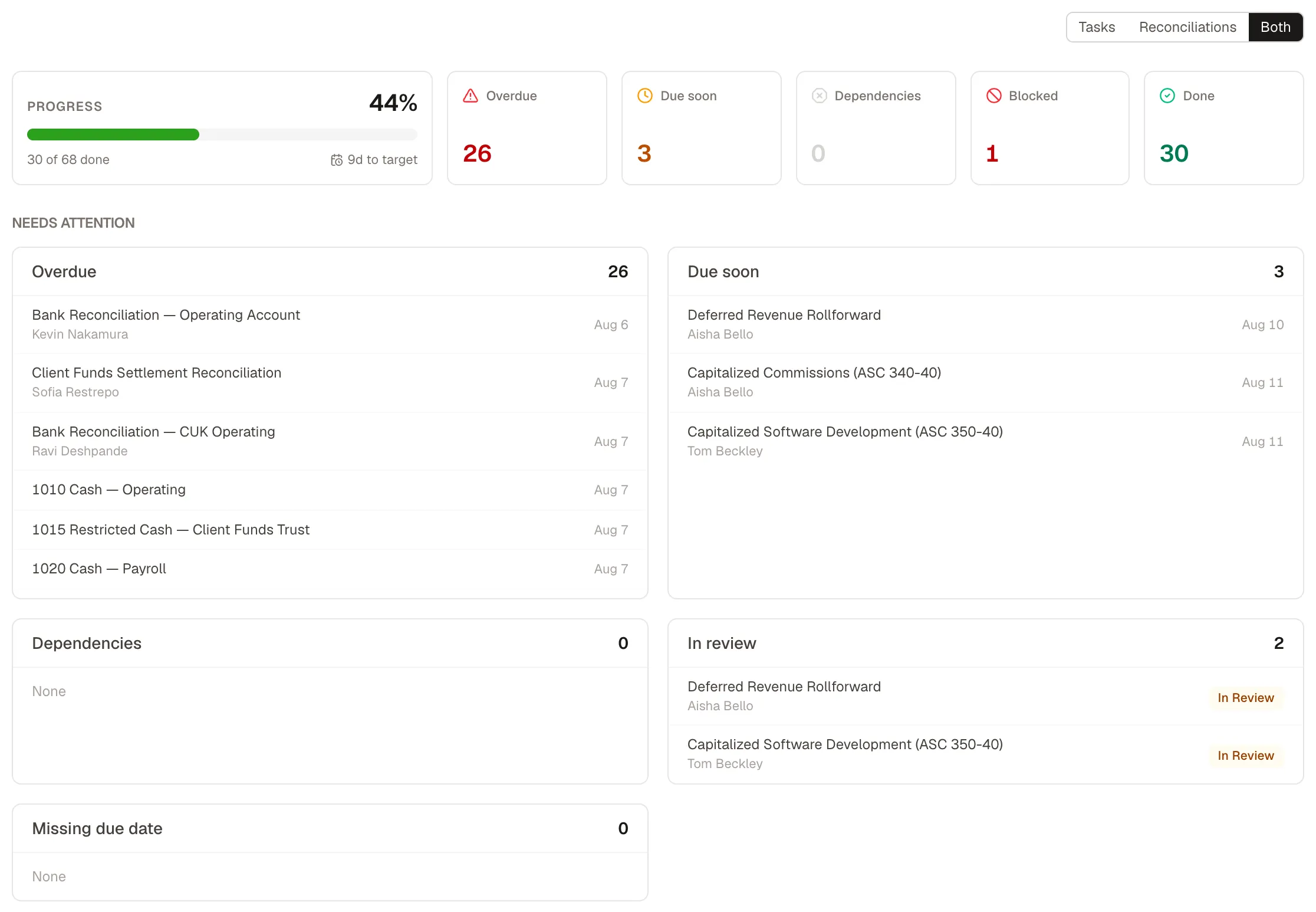
Timeline is a tab on the Close page. It shows where the period stands: what is late or about to be, what is stuck, and which days the work falls due. Tasks, Reconciliations and Both, at the top right, choose what is counted, as on Workload.
Due dates and status
Section titled “Due dates and status”| Item | Due on | In review | Done |
|---|---|---|---|
| Task | Its preparer due date; while it is with a reviewer, its reviewer due date, where it has one | Submit for Review, Review In Progress, Second Review | Done |
| Reconciliation | The preparer’s due date; once submitted, the reviewer’s | Submitted | Approved |
Overdue, Due soon, the Due filter and the timeline go by that date.
Counts
Section titled “Counts”| Count | Means |
|---|---|
| Progress | How many of the period’s tasks and reconciliations are done, as a percentage, and the days left to the target close date. |
| Overdue | Open, and past its due date. |
| Due soon | Open, and due in the next three days. |
| Dependencies | Tasks waiting on another task that isn’t done. |
| Blocked | Tasks set to Blocked. |
| Done | Done tasks and approved reconciliations. |
Click Overdue, Due soon, Blocked or Done to filter the tab you are on to that work; click it again to clear it. Overdue and Due soon set the Due filter, Blocked and Done the Status column’s. The counts themselves don’t change with either, so the others stay there to pick. Both filters stay set on List; on Reconciliations only Due does, since a reconciliation’s status is its Review column.
Needs attention
Section titled “Needs attention”| Card | Lists |
|---|---|
| Overdue | Open work past its due date. |
| Due soon | Open work due in the next three days. |
| Dependencies | Tasks waiting on another task, and on which. |
| In review | Work with its reviewer. |
| Missing due date | Open work with no date for a sign-off still to give: the preparer’s, until it is with the reviewer; the reviewer’s, where there is a reviewer. Each row says which. |
Click a row to open the task or reconciliation.
Due-date timeline
Section titled “Due-date timeline”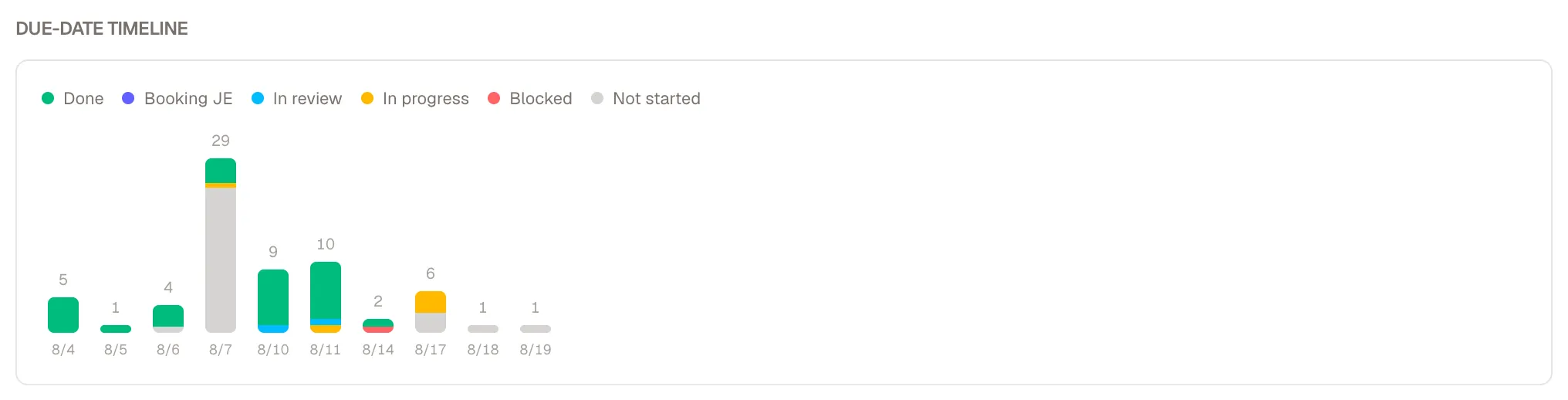
Work due each day, stacked by status. Work with no due date isn’t shown.
Breakdown
Section titled “Breakdown”Done over total by section, by tag, by preparer and by reviewer. Click a row to open the list filtered to it. A Preparer or Reviewer row opens that side of the person’s work, as on Workload.